Official Windows 7 ISO image. Starter SP1 edition files for 32-bit OS version.
⭐
4.5
195
reviews
75k
downloads
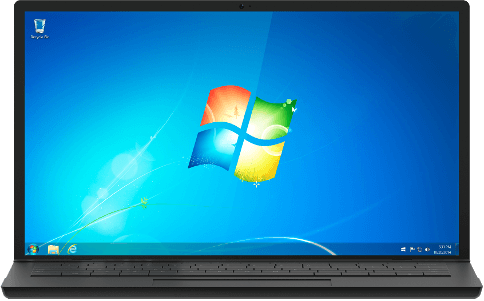
Softlay offers the original Windows 7 Starter ISO, released by Microsoft. The Starter Edition is only offered in a 32-bit version (Win 7 Starter is not available in a 64-bit version). Here is the single-click, direct link to free download Windows 7 Starter ISO, the official untouched & full version, with service pack 1 (SP1).
So if you looking for a lightweight OS for your PC then we recommend you download the Windows 7 Starter ISO. Windows 7 Starter is the most basic edition in the Windows 7 OS lineup released by Microsoft. Other offered editions include Home Basic, Home Premium, Enterprise, Professional, and Ultimate.
Windows 7 Starter Features
- Windows with the fewest features
- Runs only on 32-bit x86 PCs
- Especially made for netbook users
- Supports wired and wireless networks
- Does not have the Windows Aero theme
Note: Upgrading directly to Windows 10 from Windows 7 is still an option (free upgrade not available in 2024) if you are interested in doing that.
Windows 7 Starter System Requirements
- Processor: 1 GHz or faster
- Memory: 1 GB
- Hard disk space: 15 GB available
- Video card: 1366 × 768 screen resolution; DirectX 9 graphics processor with WDDM driver
- Connectivity: Internet access (fees may apply)
Note: A Microsoft account is required for accessing some features. Watching DVDs requires separate playback software.
How To Install Windows 7 Starter from ISO
Windows 7 Starter ISO can be used to install the OS on any PC, it can also be used to install the OS for a VirtualBox installation. But first, you must create a Windows 7 bootable USB.
We recommend using "Rufus" for its ease of use. Read our short guide on how to make a Windows installation-ready bootable USB at this link.
Once the bootable USB is created follow the steps below to install it.
Step 1: Restart the PC and plug in the Win 7 bootable USB.
Step 2: During PC startup press the boot menu button (usually F8, F12, or Delete) and select the USB from the Boot menu.
Step 3: Windows Setup will now open, follow its instructions, and you'll be done with it in no time.
If you face any issues during the download or installation of the ISO then comment below and we’ll do our best to help you out.
Additional Information

License
Free

Version
Starter ISO

Update
Feb 9, 2011

Size
2.46 GB

Requires
Win7 Compatible PC

Developer

Downloads
75k