
Are you watching videos on Potplayer in low brightness and PotPlayer brightness not working so you can increase it? Don’t worry, Potplayer has a built-in feature from which you can enhance, increase & decrease the brightness, contrast, and saturation, and can solve the color problem of the video.
Follow the instruction listed below to increase or decrease the brightness and contrast of a video.
- Launch the PotPlayer and run the video you want to change the brightness settings.
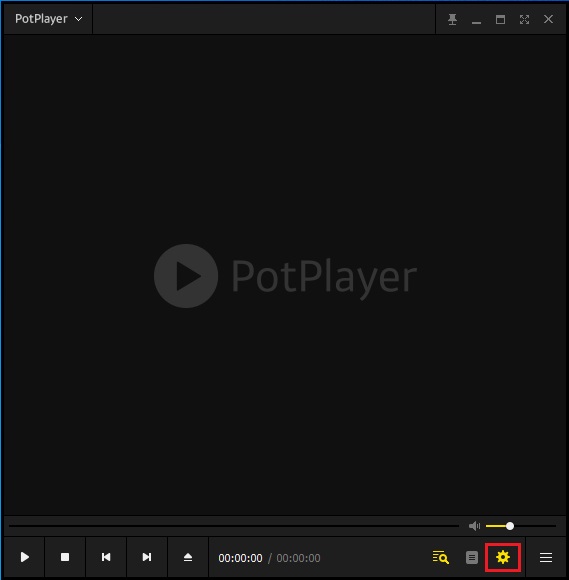
- On the lower right-hand corner, click on the settings icon or simply press F7 as a shortcut key on the home screen of Potplayer to go to the control panel.
- A new window Control Panel will open.
- On the top menu, Click on Video.
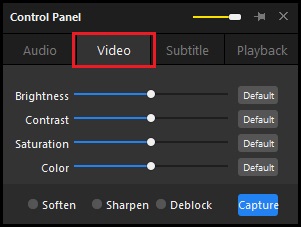
- Here, you can change the brightness, contrast, saturation, and color of the video to your choice.