
Blue WhatsApp: Elevates your WhatsApp messaging experience with exclusive features
⭐
4.5
111
reviews
24151
downloads
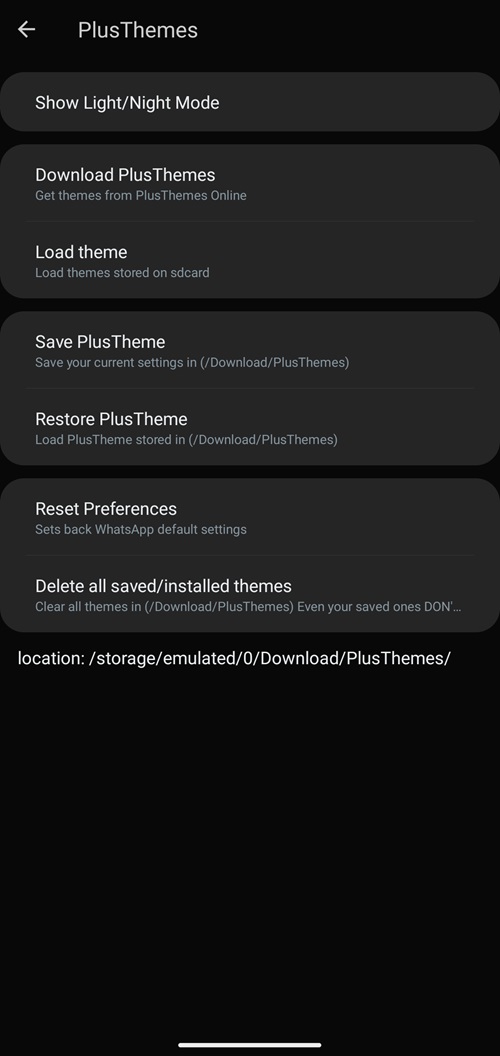
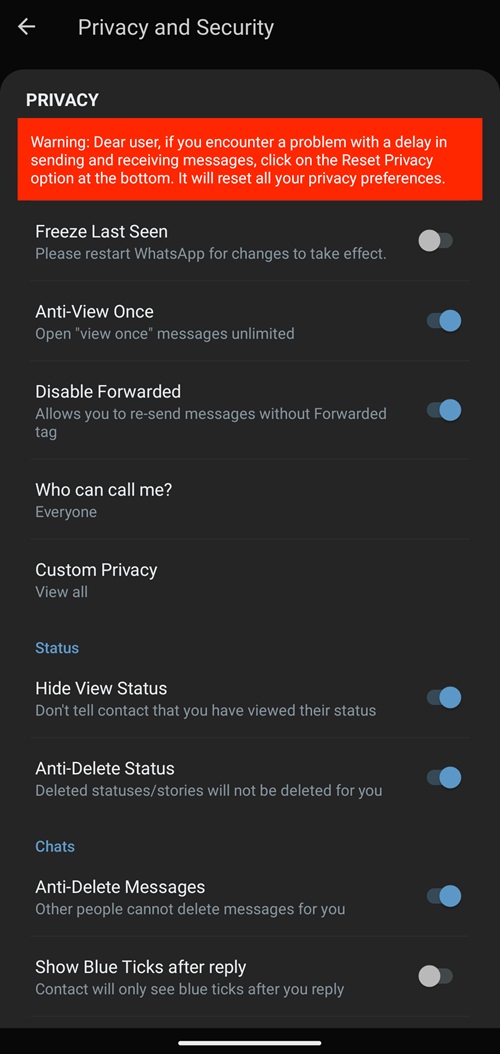
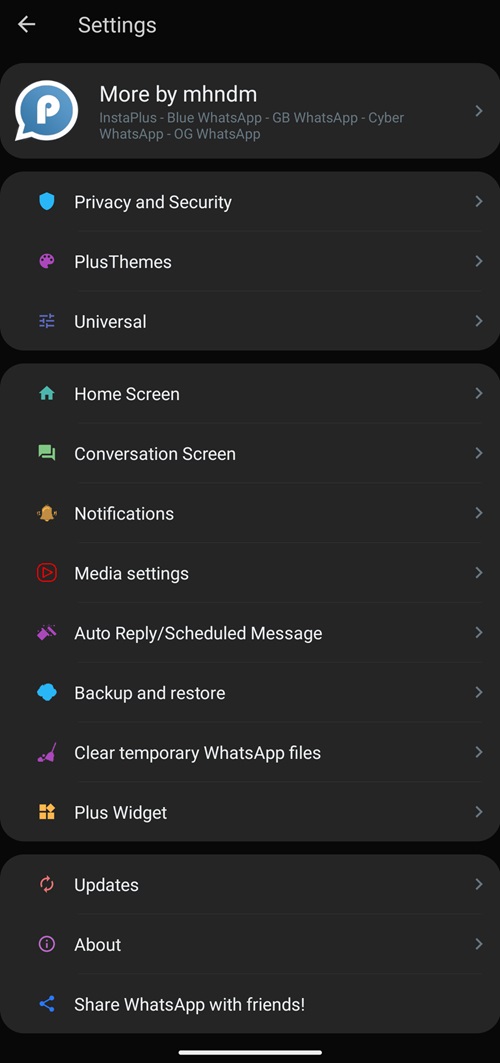
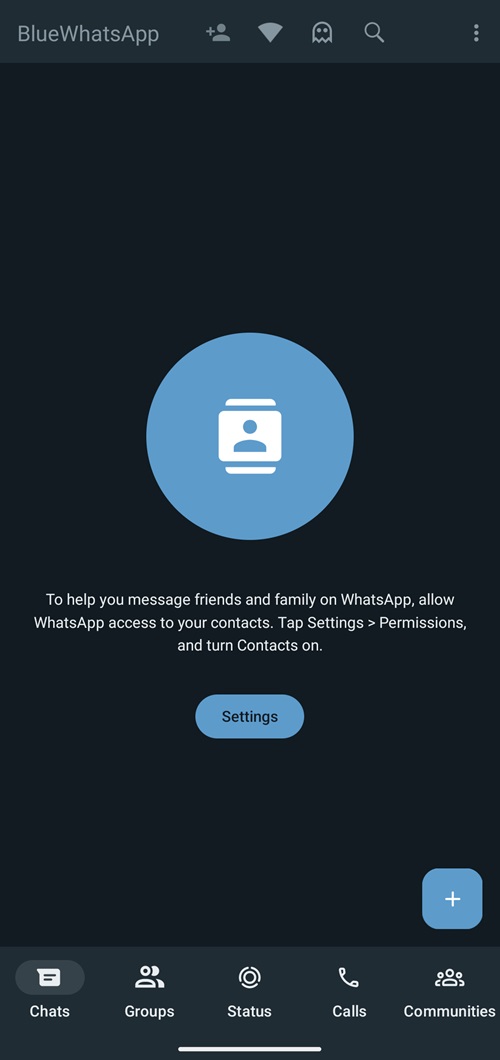
Blue WhatsApp (also known as Blue WhatsApp Plus) is an enhanced version of WhatsApp designed to take your messaging experience to the next level with innovative features, customizable themes, advanced privacy settings, block internet for WhatsApp only, and much more. Some of these features are so exclusive that they aren’t even available in popular apps like GB WhatsApp. It is co-developed by the Fouad Mods Team, the devs of the FM WhatsApp and Yo WhatsApp apps.
This article provides the latest version of the Blue WhatsApp Plus APK download, how to install and use it, the unique features that make it stand out, a short comparison with the standard WhatsApp app, and some alternatives you can try.
How to Download and Install Blue WhatsApp
Downloading Blue WhatsApp Plus APK is pretty straightforward, scroll to the top of this page and click on Free Download, wait for the download to complete, and once it is follow the steps below:
Step 1: Launch the Blue WhatsApp APK and tap on “Install” to start the installation process.
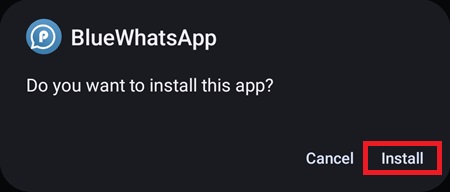
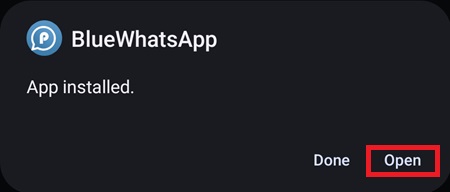
Step 2: Once the installation is complete, tap on “Open” to launch the app.
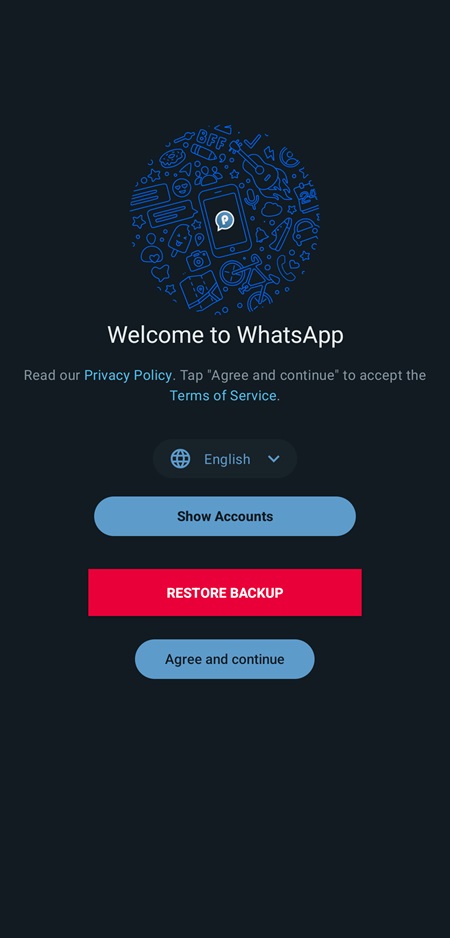
Step 3: Select the language of the app and log in to WhatsApp using an account. If you have created a backup before then you can restore it here.
Note: Keep in mind that although you can have both Blue WhatsApp Plus and the standard WhatsApp app installed simultaneously, you cannot use the same number/same account for both of them at the same time.
Step 4: Once the app is all set up, enjoy the enhanced WhatsApp experience.
How to Update Blue WhatsApp Plus
PlusMods Team has built an updater within the Blue WhatsApp. Here’s how you can use it to update the app:
Warning: Please backup your chats from the settings menu otherwise you will lose them when you update Blue WhatsApp.
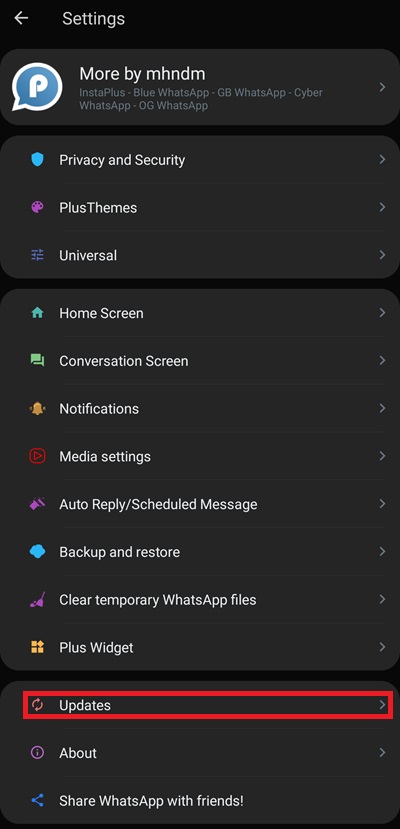
Step 1: Tap on “Updates” in the Settings menu.
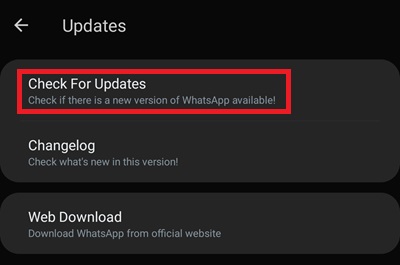
Step 2: In the Updates menu tap on “Check For Updates“, this will update Blue Whatsapp to the latest available version.
Blue WhatsApp Plus Features
Blue WhatsApp Plus has some of the most exclusive features out of all the apps we have tried. Here are some of the most notable ones compared to the standard WhatsApp app:
| App Features | Blue WhatsApp Plus | |
|---|---|---|
| Direct Messaging | Yes | No |
| File Sending Limit | Upto 999 MB | Max 100 MB |
| Themes Store | Yes | No |
| Forwarding Limit | Unlimited Chats | 5 Chats Only |
| Security Lock | Yes | No |
| Download Status | Yes | No |
| Anti-Delete | Yes | No |
| Status Length | Upto 255 | Max 139 |
| Bulk Message | Yes | No |
| Auto-Reply | Yes | No |
| Icon Change | Yes | No |
| Custom Font | Yes | No |
| Freeze Last Seen | Yes | No |
| Hide Blue Ticks | Yes | No |
| Second Tick | Yes | No |
| Typing Status | Yes | No |
| DND Mode | Yes | No |
| Emoji Variants | Yes | No |
| Always Online | Yes | No |
| Hide Media From Gallery | Yes | No |
| Multi-Language App Support | Yes | No |
| Full-resolution Image Sharing | Yes | No |
Alternatives
There are plenty of alternatives to this app, some of the popular ones and their download links are given below:
FAQs
What is the Blue WhatsApp app?
It is an enhanced version of the standard WhatsApp app that offers exclusive features that are not available in either WhatsApp or any enhanced WhatsApp apps. These features make Blue WhatsApp very popular but due to licensing and copyright issues, it is not available on the Play Store.
Where can I download the Blue WhatsApp Plus APK?
You can download it directly from us at Softlay. We keep the latest version APK of the app, so keep checking back with us.
Is Blue WhatsApp Plus available on iOS?
No, unfortunately at the time Blue WhatsApp is not available on the iOS platform.
Blue WhatsApp Latest Version 9.91 Update
Changelog
Added:
➕ Added Ghost Mode: While Ghost Mode is active, your actions will be invisible to everyone. Your last seen is freezed, other people will think you didn’t receive the messages, opened messages will not turn blue, and you can view statuses secretly.
➕ Added Custom Media Download control for each chat
➕ Added WhatsApp Old UI style (PlusMods Settings > Home > Header > Home UI Style)
➕ Added See Message Edit History (after installing V9.91)
➕ Added Option to show/hide ghost mode icon
➕ Added Antiban improvements
Enabled:
✔️ Enabled Multiple Accounts on same devices
✔️ Enabled About with expiry (24hr, 3days, 1 week)
✔️ Enabled Adjust Group Permissions
✔️ Enabled New Settings UI
✔️ Enabled Create profile @username, wait for server activation
✔️ Enabled Add Email Address to your account (Settings > Account)
✔️ Enabled Option to approve new group members before joining
✔️ Enabled Media Preview feature
✔️ Enabled Return original tabs order
Fixed:
🛠 Moved Light/Night mode option to PlusMods Settings > PlusThemes
🛠 Fixed Custom Privacy for Business Chats
🛠 Fixed Date Bubble not showing clearly when scrolling
🛠 Fixed Screen share button color in calls
🛠 Fixed Some text not showing on white theme during calls.
🛠 Disable some features for smooth use and avoiding problems.
Misc:
⚙️ General bug fixes
⚙️ Enjoy and discover by yourself!
⏫ Base Updated 2.23.21.88 — Play Store
Additional Information

License
Free

Version
2.2.5

Update

Size
95.8 MB

Requires
Android 4.0 & Above

Developer

Downloads
24151