

Fluxus Executor APK Latest Update Free Download
2.694
Best Android Roblox Script Executor.
⭐
4.5
2324
reviews
400k
downloads
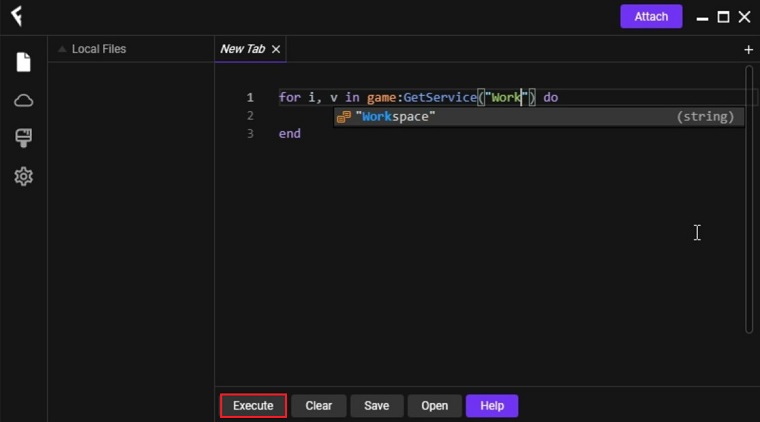
Fluxus Executor is a free-to-download unrivaled Roblox script executor that allows players to run scripts in their favorite Roblox games. This software is available on PC and Android mobile devices. It's mainly used to run custom-created code called scripts into the Roblox game client.
Using it can help you increase your movement speed in-game, automate certain tasks, get abilities like aimbot, etc. It is user-friendly and easy to use, especially for those who are new to scripting in Roblox or scripting in general.
Alternatives like CodeX, Delta, Vega X, and Trigon Evo can perform the same functions and sometimes even add newer ones. You can also try them out if you wish to experiment with different apps.
Requirements for Running Fluxus
Ensure that the requirements mentioned below are met before you proceed to download and install this app for your PC.
- Disable your anti-virus before launching it. This tool will run custom code into the game which allows a player to get unique abilities. So sometimes it can be flagged as a threat by your anti-virus software.
- Ensure that you have Microsoft Visual C++ Redistributable and Microsoft .NET Framework installed.
How to Download & Install Fluxus Executor on Android Mobile?
Unlike other Roblox executors, the procedure of downloading and launching Fluxus Executor on mobile devices is slightly different.
If you haven’t tried the Fluxus Executor on mobile yet and want to play your favorite Roblox games using the Fluxus Executor now, here are a few simple steps to follow.
- Press the “Download Now” button to start downloading the Fluxus APK file.
- When the download is complete, click on the Fluxus APK file to start the installation process.
- Once installed, launch it on your phone and the attendant will scan the files on your phone.
- After a while you will be prompted to install Roblox.
- Once installed, launch Roblox and wait for the Fluxus icon to appear on the screen.
- Now hit the Fluxus icon and copy and paste the working script.
- Finally, click the “Execute” button when pasting is finished
How To Get Fluxus Executor Key & Verify It?
Unlike Hydrogen and Arceus X, getting the Fluxus Key is way too easy. If you don’t know how to get a Fluxus Artist Key, you must follow the steps written below.
- First you have to download and install the Fluxus Executor on your Android mobile.
- After installation, run the Fluxus executor on your phone or PC using Android Emulator.
- It ill prompt you to enter a valid key.
- If you haven’t received a key yet, hit the “Get Key” button.
- It will ask you to enter a captcha and follow a few steps on the Linkvertise website.
- You should watch the ads for a while and then return to the Fluxus window.
- After completing the steps, you will receive a Fluxus key.
- Once you have the key, copy and paste it into the Fluxus Keys window.
- After pasting, hit the Enter.
- It will bring up the entire Fluxus window on your screen.
- Now copy and paste the script into the text box and press the Run button
How to Use Fluxus in Roblox on Android
The main task of this app is to run custom scripts that allow you to modify your in-game abilities. To do so you'll need the code or URL of the script you plan on running.
Follow the steps below to learn how to run scripts with Fluxus:
Step 1: Launch the Fluxus app.
Step 2: Launch Roblox, log into your account, and select the game you wish you run the script in (Example: Bloxfruits).
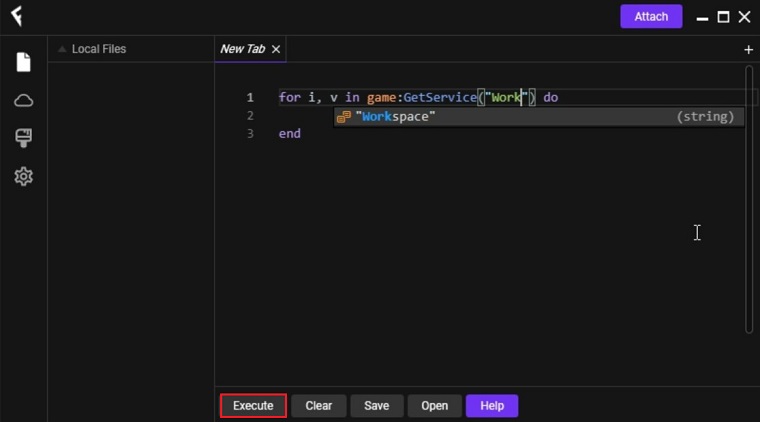
Step 3: Get the script or its URL from any of the online available sources and paste it into the executor window, then press Execute.
Step 4: A small window should open up of the script you just ran and from it you can enable/disable the options it provides.
Fluxus Roblox Executor FAQs
How to get a code for Fluxus?
To get a code you need to launch Fluxus and complete the three steps of linkvertise ad walls called checkpoints. Once checkpoints 1, 2, and 3 are complete, copy the code provided, paste it into the Input window, and press Enter.
How to bypass the code-obtaining step?
Bypassing the linkvertise step can be done via 3rd party software but we don’t recommend doing that as it is not completely safe to do so.
How to inject it into the game?
Simply click Inject in the top right corner of the app and it will attach itself to Roblox. Let the process complete and then you can run your custom scripts.
How to prevent it from crashing?
The primary reason for this crash is an outdated version of Fluxus. Users have also been able to fix this issue by reinstalling it and disabling their Anti-virus software which in some cases prevents it from updating.
How to fix the not injecting problem?
If you’re facing this issue then download the DLL Injector and install it. This fix has worked for many other users. Still, if it doesn’t work for you then ensure that the app is updated to the latest version.
Additional Information

License
Free

Version
2.694

Update
Oct 12, 2025

Size
174

Requires
Android 5.0 and above

Developer

Downloads
400k