
Create, use or share cheats for offline single-player games with Cheat Engine
⭐
4.5
152
reviews
63542
downloads
Cheat Engine is an open-source memory scanner and debugger that can modify single-player games. It is free to download and features the ability to change certain values in games that modify health, ammo, score, lives, money, etc. Depending on the user’s choice, this can make the game harder or easier. In some games, it can also unlock hidden features and items.
It also has extra features that make it a useful tool for programmers and software analysts. CE also features extensive scripting support which allows developers to create their own applications and even share them with others.
One thing to note is that it is not designed to modify online games. Since the server tracks and saves your entire progress, editing/modifying the values to change those things will have no effect and will get you banned. Other than that you can use this app safely as long as you’re using it according to the given instructions.
Features
It can perform a lot of functions, below mentioned are some examples of what it can do:
- Memory Scanning: Scans the memory of a running process for specific values.
- Value Modification: Allows modification of the scanned values to get you unlimited health, money, etc.
- Cheat Tables: Pre-made “.CT” files that can act as a trainer for games.
- Trainer Maker: Allows the creation and sharing of trainers with other users.
- Lua scripting: Lua scripting allows you to create custom cheats or to automate tasks like picking up a game process when its “.CT” file is loaded.
- Debugger: Includes debugger that can be used to debug cheat tables or find the code that controls the game state.
How to Download & Install Cheat Engine
For Cheat Engine download and installation follow the steps below:
Step 1: Scroll to the top of this page and click Download Now.
Step 2: Launch “CheatEngine75.exe” and select your desired installer language.
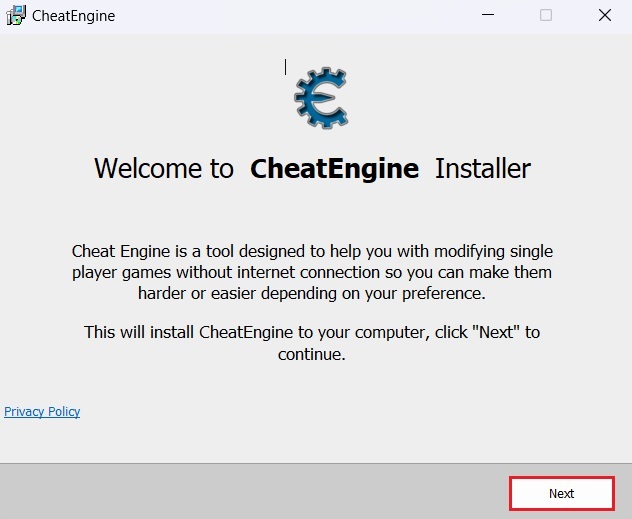
Step 3: Click on Next to proceed with the installation.
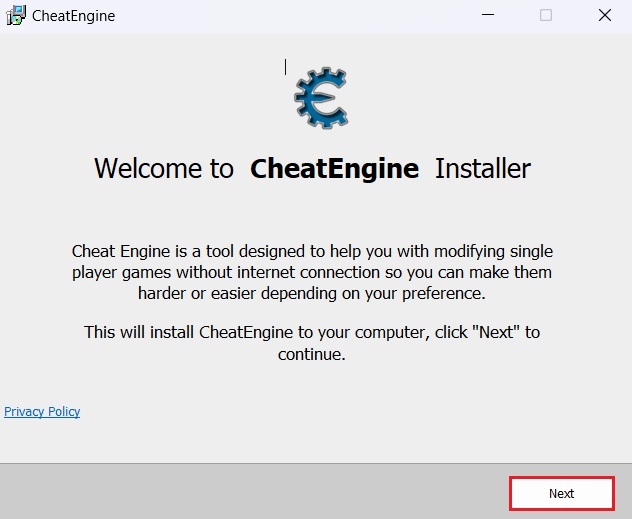
Step 4: You’ll be offered two extra pieces of software during the installation. Decline or Accept these offers as you see fit as they’re not necessary for the software’s installation.
Step 5: Click Finish, when the installation is complete.
How to Use Cheat Engine
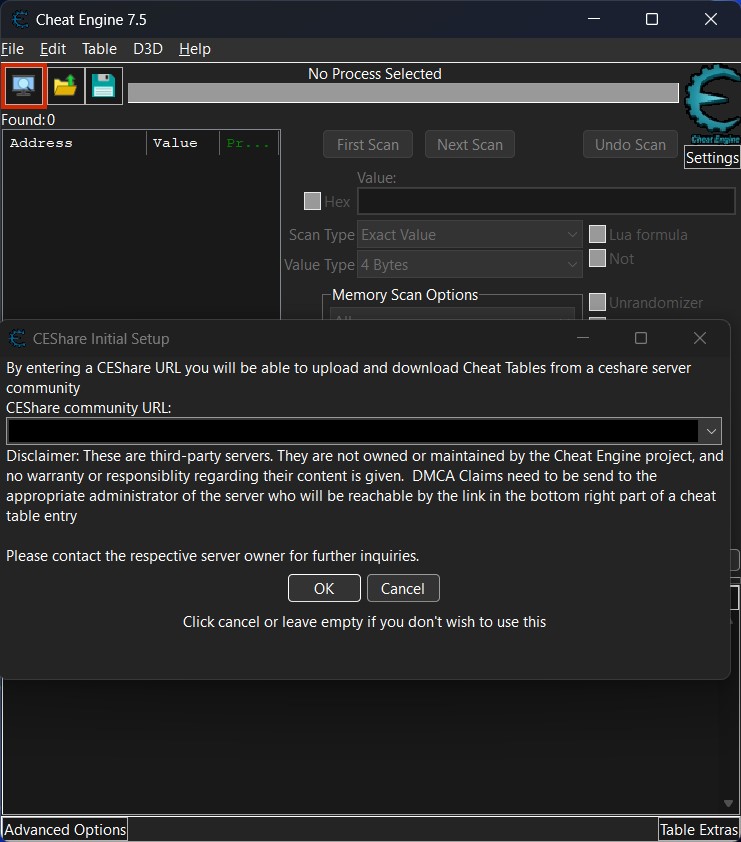
It isn’t an easy app to use and is even harder to master. So, the devs include a built-in tutorial with the program. Upon the first launch, you will see instructions on how to get started with using it. Additionally, you can visit their official forum page for a much more detailed tutorial.
If you’re just interested in using it in single-player games to gain an advantage, then we suggest using cheat tables (.CT file). Cheat Table (.CT) files are trainers for games made with and for CE by other users. Given below is an example of how to modify Elden Ring with CE by using a “.CT” file.
How to Disable Easy Anti Cheat (EAC)
Before we show you how to use the (.CT) file, it is necessary to know that some games ship with Easy Anti Cheat. These games cannot be modified or tampered with unless Easy Anti Cheat is disabled. Elden Ring is among one of those games.
Disabling Easy Anti Cheat in Elden Ring
Step 1: Go to the Steam library location where you installed Elden Ring, It’ll be in “Steamapps > ELDEN RING > game”
Step 2: Rename start_protected_game.exe to something else and make a copy of elden_ring.exe
Step 3: Rename this newly made copy to start_protected_game.exe and run the game through Steam as normal.
Note: Disabling Easy Anti Cheat may be different for other games, so look up how to do that before you modify them.
How to Use Cheat Table (.CT) for Elden Ring
Once Easy Anti Cheat is disabled, you can now proceed to use the “.CT” file to modify Elden Ring with Cheat Engine. See the steps below to do that:
Step 1: Download the desired “.CT” file and open it.
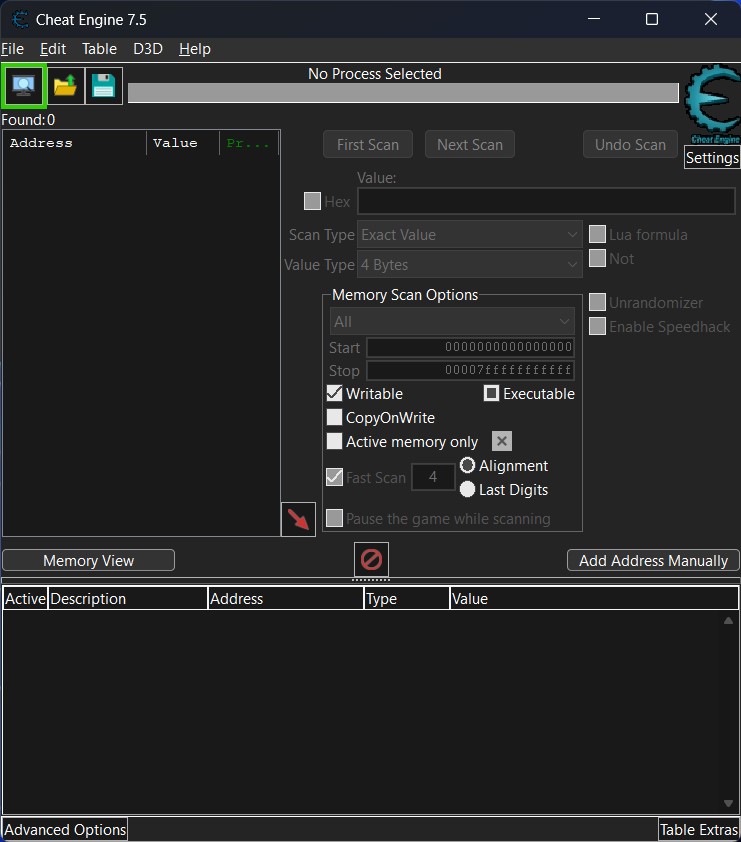
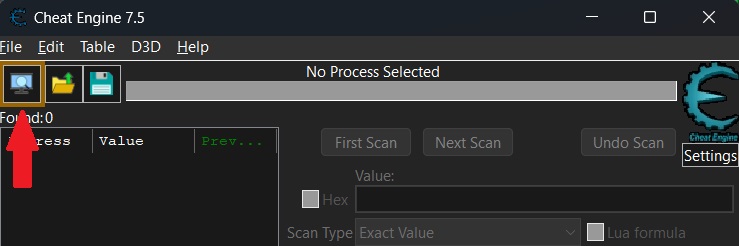
Step 2: Click the PC icon in the top left corner and select the game process that the “.CT” file is for. (If Lua Scripts are used then the game process will be selected automatically)
Step 3: Once the game process is selected, you can activate the trainer options by checking the boxes or changing the values in the bottom list.
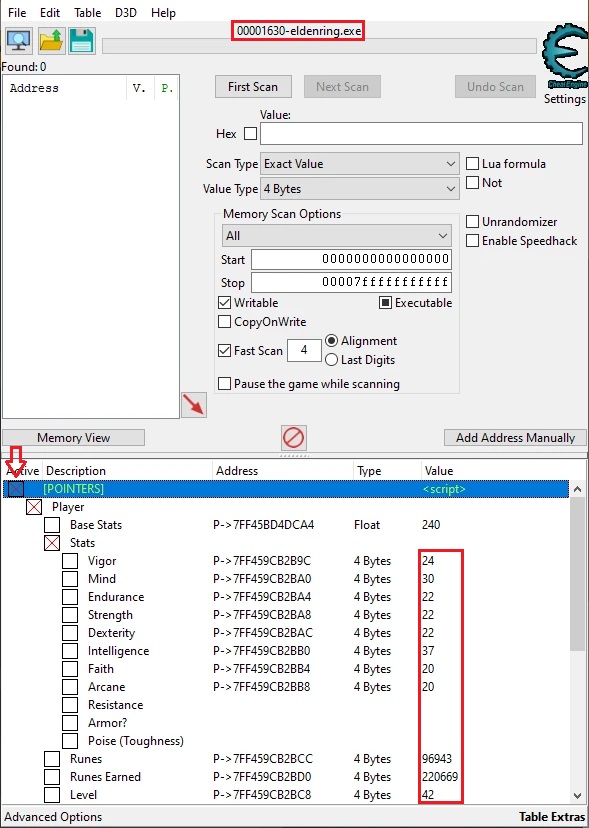
Step 4: Check in-game to see if the modifications are working.
How to Uninstall Cheat Engine
You can uninstall it through the Add or Remove Programs menu, simply click Uninstall next to the app’s name in the Add or Remove Programs window and follow the uninstaller’s instructions.
Compatibility
CE is currently available for Windows and Mac. Although it is completely free to download and use on Windows, Mac users only have the trial version for free, the complete version for Mac is only available for Patreon supporters.
It is not available for Linux and Android but there are apps with similar concepts that can be used as alternatives.
FAQs
What is Cheat Engine?
It is a free, open-source memory scanner and debugger that can modify offline games. Users can change the values in the game’s memory, which can give them an unfair advantage.
Is Cheat Engine free to use?
Yes, this app is free to use on Windows. On Mac, however, only the trial version is free to use.
Is Cheat Engine safe to use?
It is completely safe to use and free of viruses. It may be picked up by your anti-virus as a threat because it can reverse engineer an app but that is just a false alarm.
Can I use Cheat Engine in online games?
No, you must not use this or any other cheating software in online games. Online games store your data in servers that cannot be edited or modified. Any attempt to do so will result in a ban.
Will I get banned for using Cheat Engine?
Yes, you can get banned if you use it in online games. Especially those that are secured by software like BattlEye, Easy Anti Cheat, Valve Anti Cheat, etc. So, follow the official instructions and stick to offline, single-player games only.
Cheat Engine Latest Version 7.5 Update
- removed the driver requirement for the access memory regions tool
- added 1 byte jmp instructions (that will install an exeption handler and place an int3 at the location)
- added a scanoption so you can skip unpaged memory. (should prevent targets from eating up RAM when scanned)
- reassemble() now rewrites an instruction using multiple lines when needed
- make some error messages more descriptive
- added an option to center the highlighted disassembler code to the center
- added an explanation why the driver won't load and a link with info on how to get it to load for now
- memoryrecord hotkeys can now be disabled individually
- codefilter: unwind info now gives less bad results
- added support for pseudo-ops like cmpss/sd/ps/pd
- lua: added ceserver commands
- lua: show a stacktrace on execution error
- lua: added convertToUTF8(stringbytetable, regioncode)
- made loading CT files with signatures possible under wine and proton
Additional Information

License
Free

Version
7.6 (Latest)

Update
Feb 14, 2023

Size
32.1 MB

Requires
Windows 11, 10, 8.1, 7 PC

Developer

Downloads
63542