Install Google Play Store APK & access millions of games, apps, and movies in its digital library.
⭐
4.9
141
reviews
87541
downloads
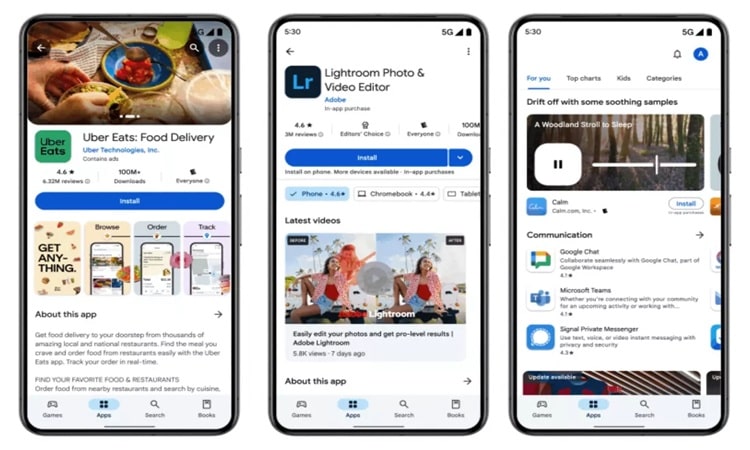
Download and install the latest Google Play Store APK version 47.5.19.23 from Softlay. Google Play Store is the official store for Android Apps, Games, Movies, books for android smartphones, and tablets.
Get Play Store APK Download for Android
Google Play Store APK is officially installed on all android devices by default. For any reason, your Google Play Store app gets missing, deleted, or disabled or you haven’t updated it on your smartphone or tablet.
So you search for it on google to reinstall it on your android device. The application is not available at the Google app store as an app to download. So you can install the APK file to update your android device.
How To Manually Install The Google Play Store APK?
After downloading the Google Play Store APK file, let’s come to the next part of installing the app onto your device.
- Go to “File Manager” to open the app.
- Find the Google Play Store APK you have downloaded on your device and select it.
- A warning should pop up saying the installation is blocked as it does not form a part of the Google Play Store. Tap on “Settings” then.
- At Settings, choose the option of “Allow install of non-Play Store applications”, then tap on “OK”. This way, you have permitted the installation of applications that do not belong to the Google Play Store.
- Return to where your APK file is and tap on it.
- A box should pop up asking if you want to install the application onto your device. Tap on “Next” and then “Install”.
- There will be a message notifying you that the application has been successfully installed on your device.
How To Check Your Current Google Play Version?
Not only those without Google Play Store by default, but others who want to update or revert your current version can download the APK files too. In case you have no idea which version of Play Store you are using, scroll down for the steps.
- Go to Settings and tap on Apps & Notifications
- Tap on “See all apps” and scroll to find Google Play
- Tap on “Advanced” and scroll to the bottom to find the version number
Is The Google Play Store Free?
Yes, the Play Store App download is free. With Play Store, you can explore and download a wide range of apps, games, books, and wallpapers. There are also paid purchases on the Play Store app once downloaded.
Can I Download the Play Store For PC?
You can download the Google Play Store for PC. This will allow you to access the Play Store and its content on your PC.
This is the Play Store APK download sourced from APKPURE
Additional Information

License
Free

Version
48.3.25

Update
Dec 5, 2024

Size
91.4 MB

Requires
Android 6.0 and above

Developer

Downloads
87541