
Easily recover lost or deleted files from your Windows PC
⭐
4.5
252
reviews
11K
downloads
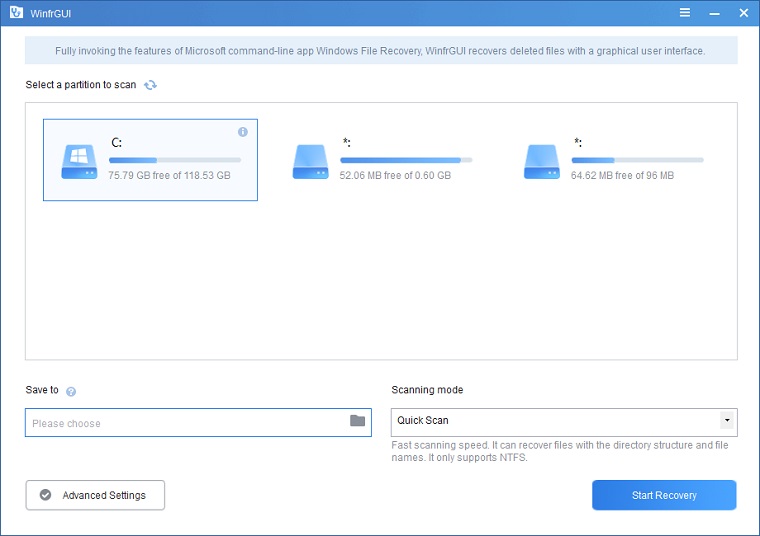
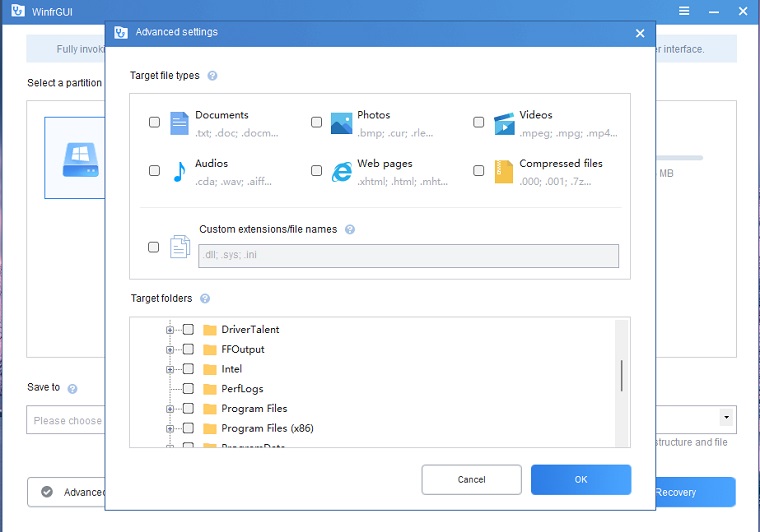
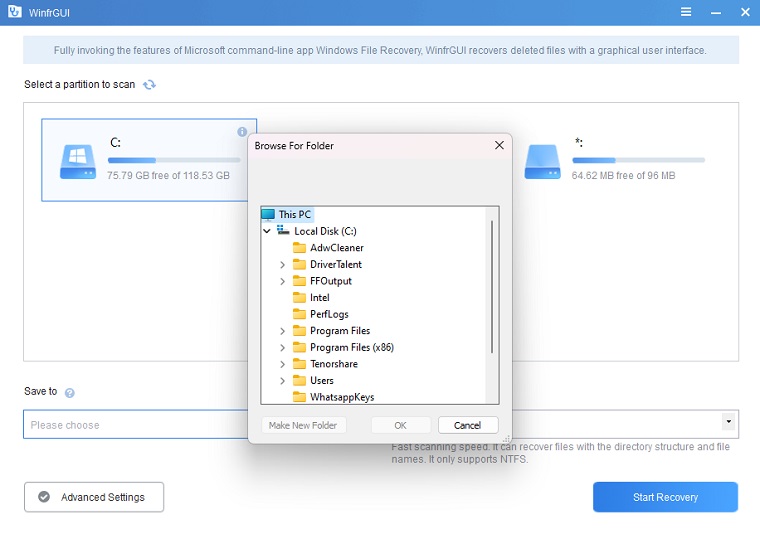
WinfrGUI is a free Windows file recovery utility that let you recover lost or deleted files with just a few mouse clicks. It’s the best alternative to Windows File Recovery supported and endorsed by Microsoft. WinfrGUI adds a graphical user interface (GUI) to Microsoft Windows File Recovery (a command-line data recovery app), making it more accessible to anyone who does not like the command prompt.
You can download WinfrGUI PC offline installer setup for your 32-bit and 64-bit versions of Windows 7, Windows 8.1, Windows 10, and Windows 11. WinfrGUI 1.0.0 is the latest version available right now.
What is WinfrGUI?
Released in December 2021, WinfrGUI is a completely free Windows file recovery software built to simplify the data recovery process for users of all experience levels. It is powered by Microsoft’s official Windows File Recovery engine but replaces the traditional, complex command-line interface with a clean, intuitive graphical user interface (GUI). This design makes it easy for anyone to recover lost or deleted files without technical hassle.
WinfrGUI supports a wide range of file types, including documents, photos, videos, and more. It works with various storage devices such as internal hard drives, SSDs, USB flash drives, and memory cards. Whether your files were lost due to accidental deletion, disk formatting, or file system corruption, WinfrGUI offers a reliable and user-friendly solution to quickly and safely restore your important data.
Why Choose WinfrGUI?
- 100% Free & No Ads: Completely free with no hidden costs or limitations.
- User-Friendly Interface: No need to learn complicated commands — easy for beginners.
- Powered by Microsoft: Built on the official Windows File Recovery engine for reliable results.
- Wide Compatibility: Supports Windows 10 (version 19041+) and Windows 11, plus various devices.
Download WinfrGUI Free
- Version: 1.2.2
- Size: 3.98 MB
- Compatibility: Windows 10 19041.0+ / Windows 11
What WinfrGUI Can Do
- Recover deleted or lost files from major Windows file systems including NTFS, FAT32, exFAT, and ReFS.
- Restore files lost due to accidental deletion, disk formatting, file system corruption, or inaccessible RAW drives.
- Maintain original folder structures during recovery, helping users keep files organized and easy to find.
- Support recovery on a wide range of devices, including SSDs (with TRIM support), internal and external HDDs, USB flash drives, and SD/microSD memory cards.
- Preview recoverable files before restoration, allowing precise selection and saving time.
- Designed for all user levels—from beginners to IT professionals—to ensure a safe, straightforward, and effective recovery experience.
Key Features of WinfrGUI
- Dual scan modes to optimize recovery: Quick Scan targets recently deleted files on NTFS volumes with original names and folders preserved; Deep Scan performs detailed scanning of formatted, corrupted, or RAW drives to increase recovery rates.
- Extensive file type support covering documents (DOCX, XLSX, PPTX, PDF, TXT), images (JPG, PNG, GIF, BMP, RAW), multimedia files (MP4, MOV, AVI, MP3, WAV), and compressed archives (ZIP, RAR, 7Z).
- Broad compatibility with various storage media, including SSDs with TRIM-enabled technology, internal and external HDDs, USB flash drives, and SD/microSD cards commonly used in portable devices.
- Full support for major Windows file systems such as NTFS, FAT32, exFAT, and ReFS to ensure reliable recovery across different storage formats.
Additional Information

License
Free

Version
1.2.2

Update
May 16, 2025

Size
4 MB

Requires
Windows 10 19041.0+ / Windows 11

Developer

Downloads
11K